Progressive Web App Compatibility Test
Progressive web app compatibility test for Service Workers, offline storage, installability, push notifications, and background sync validation across browsers.
Learn what a browser compatibility test is, how feature detection beats version checks, and why capability verification matters before users hit WebGL, codec, or API errors.
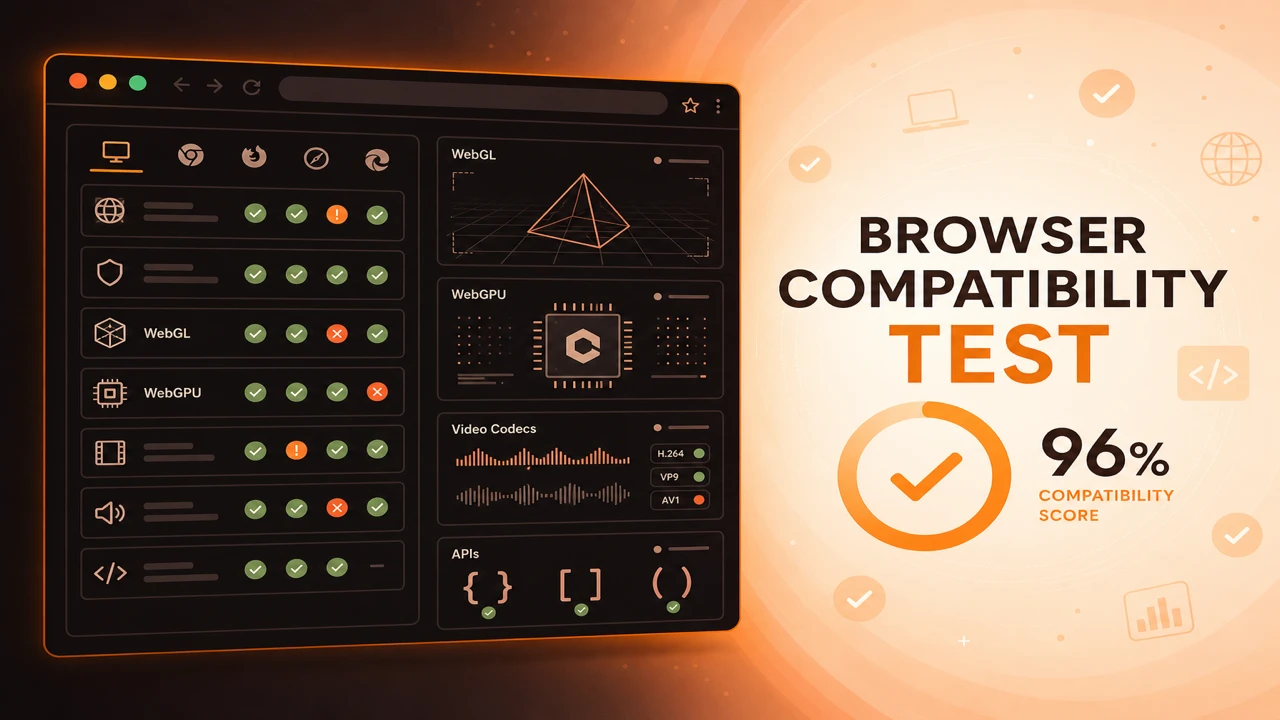
A browser compatibility test runs structured feature detection in your active browser session. Probes verify WebGL context creation, WebGPU adapter availability, codec decode readiness, and JavaScript API presence, then return a pass or fail matrix for support validation.
Formula
Compatibility Score = (Passed Probes ÷ Total Probes) × 100
This article is part of Browser Compatibility Test. Open the compatibility test tool to run WebGL, WebGPU, codec, and API probes in your current browser.
A browser compatibility test validates technology support through feature detection, capability verification, and real-world diagnostics for graphics, media, and web APIs.
A browser compatibility test runs structured feature detection in your active browser session. Probes verify WebGL context creation, WebGPU adapter availability, codec decode readiness, and JavaScript API presence, then return a pass or fail matrix for support validation.
A browser compatibility test validates technology support through feature detection, capability verification, and real-world diagnostics for graphics, media, and web APIs.
Unlike static support tables, capability verification reflects your actual GPU drivers, installed codecs, and enterprise policies on that device.
Teams use compatibility tests when 3D panels fail on Safari, codecs break on mobile WebView, or APIs work in development but not in a user's locked-down browser.
Planning teams often consult static support tables during design, but those tables describe general browser families rather than the device on a user's desk. A live compatibility test closes that gap by running the same probes your application would depend on at runtime.
The output is meant for action: QA gates, fallback design, and support triage. When you export a browser feature availability report, stakeholders can see exactly which graphics, media, and API rows passed without opening developer tools.
Version checks answer which browser build is installed. Feature detection answers whether WebGL contexts, codec decoders, and JavaScript APIs are callable in the current session. A user on the latest Chrome build can still fail WebGL probes when hardware acceleration is disabled by IT policy.
Capability verification should cover the subsystems your product actually uses. A marketing site may only need Canvas 2D and H.264, while a creative tool needs WebGL2, WebGPU, and File System Access. Scope your probe menu to match real dependencies instead of running every check blindly.
Most teams begin with the browser compatibility test tool on the run page because it bundles graphics, media, and API probes in one session. That single entry point keeps daily checks fast while still producing exportable evidence for release reviews.
The compatibility score is the ratio of successful probes in your selected scope. Weight critical probes such as WebGL2, required codecs, and secure context APIs in your own release policy.
Treat the score as a diagnostic snapshot. A high score with a failed WebGPU row still blocks WebGPU features until that probe passes.
When a probe fails, record the category (graphics, media, or APIs) and whether the page ran in a secure context. Those two fields explain a large share of false assumptions during cross-browser comparisons.
Compatibility Score = (Passed Probes ÷ Total Probes) × 100
Follow this sequence when you introduce compatibility testing to a team that previously relied on manual browser checks or static documentation alone.
Define required capabilities
List WebGL version, WebGPU need, video and audio codecs, and APIs your product calls at runtime.
Run feature detection probes
Execute the same checklist in each browser and OS you support, using identical probe scope.
Record environment metadata
Capture user agent, GPU renderer when exposed, secure context status, and viewport details.
Map failures to fallbacks
For each failed probe, define degraded UX, upgrade messaging, or alternate code paths.
Re-validate after updates
Browser, driver, and OS updates change support. Re-run probes on a schedule or before major releases.
A product configurator requires WebGL2. Feature detection shows WebGL2 unavailable on managed corporate laptops. The team serves static preview images instead of a blank canvas.
A streaming platform validates H.264 and VP9 before enabling adaptive bitrate. Safari passes H.264 but fails VP9 in a given configuration, so the player selects a compatible manifest ladder.
An internal admin portal assumed IndexedDB was universal. Probes on Firefox ESR in private browsing showed storage failures. The team added a session-storage fallback and documented the behavior for help desk staff.
Before a major launch, QA compared Safari and Chrome using identical standard-scope runs. The browser capability diagnostics workflow helped them trace a failed Service Worker row to HTTP staging rather than application logic.
A browser compatibility test turns unknown platform support into verified facts through feature detection and capability verification.
Start with the capabilities your product truly needs, export results for every supported browser, and teach support to request probe JSON alongside version numbers.
Document probe results so support teams spend less time reproducing one-off environment failures.
Run Browser Compatibility Test
PWA
Progressive web app compatibility test for Service Workers, offline storage, installability, push notifications, and background sync validation across browsers.
Diagnostics
Browser capability diagnostics for troubleshooting missing WebGL, codec failures, API blocks, configuration problems, extension conflicts, and browser limitations.
Reporting
How to build a browser feature availability report from probe sessions. Document supported, unsupported, and experimental WebGL, codec, and API capabilities.